Alternative Payment Methods
APM link
Alternative Payment methods or APM’s for short is used to offer additional payment options for the end-user. The APM framework is designed as a generic service so that more providers can be added in the future.
APM works out of the box (as long as the integration follows our receipt guidelines) but there are a couple of features you can add to make for a better user experience.
How does it work? link
Let’s start by explaining the general flow to establish some context:
When you start a payment the terminal will display the “Present card” dialog, however if the merchant has support for any APM’s there will be one or more menu items in the bottom of the screen where the cardholder can pick a supported APM, for this example we’re gonna go with payment provider Klarna.
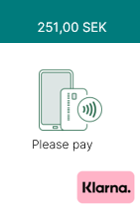

If the end-user chooses to pay with Klarna instead of their card, a QR code will be displayed in the terminal. Upon reading the code with their phone the end-user will be put into Klarnas payment loop on their phone. While this is going on the terminal will query Klarnas platform in the background.
Once the end-user has completed the payment a response will be returned to the terminal. If you used PaymentsAsync to start the payment you will have to fetch the result using the /PaymentsAsync/{operationId}/Status endpoint just like you would for any other payment.
The response looks the same as for a card payment but there’s a few additional fields that you might want to save for reasons that we will get into in the next section.
The response will contain an object called “apm” which looks something like this:
 "apm": {
    "providerId": 1234,
    "reference": "123456789012",
    "providerReference": "LBGH5DK"
  }
Refunds over APM link
If you saved the apm data from the Payment response you can conveniently provide these directly in your request in the case of a refund so that the end-user can get refunded over the same interface without having to take out their card.
The refund request takes providerId and reference (but as originalReference), providerReference is not used by our API but can be used by the merchant to identify a payment in the APM providers reports so there’s value in saving this information.
Even if you didn’t save these you can still do it manually the same way you made the payment by selecting the APM directly in the terminal and manually entering the reference (which you will find printed on the original receipt) into the terminal keypad. So even if you do not make adjustments for APM’s in your code the merchant and end-user will still be able to utilize the whole breadth of features, the user experience is simply not as smooth as it could be.
DeviceInformation link
The /DeviceInformation endpoint returns a list of enabledFeatures which shows you if APM is enabled on the terminal, and in the apm object there’s also a list of supported providers with their respective identifiers.
  "apm": {
    "providers": [
      {
        "id": 1234,
        "name": "Provider 1"
      },
      {
        "id": 3456,
        "name": "Provider 2"
      }
    ]
  },
  "enabledFeatures": {
    "apm": true,
    "cashier": true,
    "dcc": true,
    "tip": true
  }